

Managing multiple social media accounts can get tricky, especially when platforms monitor for suspicious activity. Proxies are the go-to solution for avoiding detection and keeping your accounts safe.
Here’s what you need to know:
- Why Proxies Matter: They mask your IP, making your activity look like it's coming from different users. This reduces account bans, bypasses geo-restrictions, and helps manage multiple accounts securely.
- Types of Proxies:
- Residential Proxies: Best for high-risk tasks (e.g., account creation, messaging). They mimic real users but cost more.
- ISP Proxies: Offer speed and stability for consistent tasks like scheduling or analytics.
- Datacenter Proxies: Affordable and fast but better for low-risk activities like scraping.
- Key Practices:
- Use one proxy per account to avoid linking them.
- Rotate IPs to prevent detection but keep sessions stable during tasks.
- Match proxy location with the account’s region to avoid triggering alerts.
- Choosing a Provider: Look for uptime reliability, geo-location options, large IP pools, and strong customer support.
Proxies, combined with realistic automation strategies, ensure smooth, risk-free social media management. Providers like BirdProxies stand out with features like high uptime, U.S.-based IPs, and flexible pricing options.
How to Avoid Repeated 7-Day Blocks on Instagram when Automating
Proxy Types for Social Media Automation
Choosing the right proxy type is essential for protecting your accounts and ensuring smooth automation. Each proxy type comes with specific features that impact how platforms perceive your traffic. Understanding these differences allows you to select the best proxy for your social media tasks. Here's a breakdown of the main proxy types and their uses.
Residential Proxies
Residential proxies use IP addresses assigned by internet providers to real households, making your traffic appear as if it’s coming from a genuine user. For instance, a residential proxy based in Chicago mimics authentic user behavior, which reduces the likelihood of bans or verification issues. These proxies are ideal for high-risk activities like creating accounts, sending direct messages, following accounts, and commenting. Marketing agencies often rely on them to manage multiple brand profiles securely. While they tend to be more expensive and may experience variable speeds, their reliability in avoiding detection makes them a top choice. For example, BirdProxies offers residential proxies at $6.50 for 5 proxies, tailored for secure social media management.
ISP Proxies
ISP proxies blend the benefits of residential and datacenter proxies. They use IP addresses provided by internet service providers but are hosted on datacenter infrastructure. This combination provides the trust signals of residential proxies with the speed and reliability of datacenter hosting. ISP proxies are perfect for tasks requiring stable, always-on connections, such as managing scheduling tools, support inboxes, or analytics dashboards. They typically offer fast speeds (latencies of 25–50 ms), unlimited bandwidth, and excellent uptime. Additionally, they’re designed to bypass geo-restrictions and avoid bans, making them a great option for managing U.S.-based accounts that need consistent regional IPs. However, their smaller IP pool compared to residential proxies can sometimes limit diversity.
Datacenter Proxies
Datacenter proxies are generated by hosting providers rather than internet service providers. They are fast, affordable, and scalable, making them a popular choice for high-volume, low-risk tasks. However, because their IP addresses originate from commercial data centers, social media platforms can flag them more easily. This increases the risk of detection and account bans, especially for sensitive actions like logging in, posting, or engaging with content. Datacenter proxies are best used for low-risk activities such as public scraping, hashtag monitoring, competitor analysis, or collecting analytics. Their low cost makes them appealing for teams on a budget, provided they’re not used for critical account-related tasks.
| Proxy Type | Main Source | Best For | Main Risk | Typical Cost Range |
|---|---|---|---|---|
| Residential | Home users via ISPs | Account creation, DMs, engagement | Higher cost, variable speeds | Mid to high (per GB) |
| ISP | ISP-owned ranges on datacenter hardware | Always-on tools, persistent sessions | Smaller IP pools | Mid-range |
| Datacenter | Hosting/data center providers | Public scraping, monitoring | Easy detection, higher bans | Low (cheapest option) |
A common rule of thumb: use residential or ISP proxies for tasks involving account logins, posting, or engagement. Reserve datacenter proxies for public data collection or low-risk activities where account safety isn’t a concern. For U.S.-based operations, prioritize proxies with U.S. IPs to maintain consistent geolocation signals - especially when working with ad accounts, payment methods, or business pages tied to U.S. addresses and time zones.
Safe Social Media Automation Practices
Setting up proxies correctly is a must when automating social media. Misconfigured proxies can alert platforms to unusual activity, as they closely monitor IP addresses, device details, and behavior patterns to identify bots or multiple-account misuse. Your proxy and automation setup should mimic natural user activity to avoid detection.
Use One Proxy per Account
Each account should have its own proxy. Sharing an IP across multiple accounts can result in overlapping behavior patterns, which platforms may flag as suspicious, potentially leading to simultaneous bans.
Dedicated proxies help each account maintain a unique online identity, making it harder for platforms to link accounts or detect automation. Some experts suggest limiting usage to 2–3 accounts per IP on certain platforms to further reduce risks.
Spending on dedicated proxies is an investment in account safety. This setup creates a solid foundation for additional strategies like IP rotation and aligning proxy locations.
Rotate IPs to Avoid Detection
Using static IPs for repetitive tasks increases the chance of detection. Platforms monitor how often the same IP performs actions like following, posting, or messaging, and may impose rate limits or blocks when patterns emerge.
Rotating proxies can help by cycling through different IP addresses, making your actions appear more natural and distributed. For example, instead of one IP performing 100 follows in an hour, the activity is spread across multiple addresses, mimicking behavior from different users. One expert noted a 70% drop in required verifications and almost no account bans after switching from residential to mobile proxies for Instagram automation.
However, balance is key. Avoid changing IPs mid-session while browsing or posting, as this can raise suspicion. Use sticky sessions to maintain a stable IP during active tasks before rotating.
Residential and mobile proxies are particularly effective because they blend in with regular consumer traffic. Rotating through thousands of genuine residential IPs minimizes detection risks, as individual IPs are reused less frequently.
Once dynamic IP rotation is in place, the next step is to align your proxy's location with the account's region.
Match Proxy Location with Account Region
Geographic consistency is crucial for maintaining account authenticity. Social media platforms often check login locations against registration details, payment methods, and business addresses. Any mismatch can trigger alerts or lead to verification requests.
For example, if you create an account in New York using a U.S. phone number and a Manhattan address but log in through a proxy in Germany, the platform may flag this as suspicious. This could result in login alerts, additional verifications, or even temporary account locks.
The same logic applies to other scenarios. A California-based account logging in from Europe or a Brazilian account managed through European proxies is likely to attract scrutiny from platform security systems.
To avoid these issues, match the proxy's location to the account's origin and intended operation area. For U.S.-based accounts, use U.S. proxies - ideally from the same state or region. This ensures alignment across IP location, time zone, language settings, and business details.
If you're managing accounts across multiple regions, organize your proxies by platform and location. Label them clearly (e.g., "Instagram US East #1", "TikTok California #2") to avoid mixing regions and triggering alerts.
Some experts also recommend manually logging in through the proxy once before automating activity. This allows the platform to "adjust" to the new IP, reducing suspicion when automation begins.
Avoid sudden geographic changes, like logging in from New York one hour and Eastern Europe the next, as this raises immediate red flags. If a location change is necessary, do it gradually and prepare for potential verification steps.
These steps, combined with earlier recommendations on proxy types, help ensure that each account maintains a distinct and regionally consistent digital identity.
sbb-itb-ea6392c
Advanced Proxy Configuration Tips
Fine-tuning your proxy settings is essential for maintaining stable connections and reducing the risk of detection. These advanced tips build upon basic proxy practices to help you get the most out of your automation efforts.
Use Sticky Sessions for Stable Connections
Sticky sessions allow you to maintain the same IP address for a set period, which can be crucial for tasks that require staying logged in or completing multi-step actions. Instead of rotating IPs with every request, sticky sessions provide the consistency needed for smooth workflows.
For example, if you're uploading a video, adding captions, tagging collaborators, and publishing - all within one session - sticky sessions help ensure the platform sees continuous activity from the same IP. Frequent IP changes during these steps might trigger re-authentication or even flag your activity as suspicious.
The ideal session duration depends on the task:
- Posting and scheduling: Stick with 15–30 minute sessions to maintain stability for uploads and edits without appearing overly static.
- DM outreach and engagement: Opt for 5–15 minute sessions to keep logins consistent while cycling IPs enough to avoid repetitive patterns.
- Scraping or data collection: Use very short sessions or no stickiness at all. Frequent IP rotation reduces the chances of a single address being flagged.
Some providers now offer extended sticky sessions, lasting up to six hours, which are useful for longer tasks like live community management. However, balance is key. For high-frequency actions like bulk data collection or mass following, quicker IP rotation is often better for avoiding detection.
| Task Type | Recommended Session | Why It Works |
|---|---|---|
| Posting & scheduling | 15–30 minute sticky | Ensures stable IPs during uploads and edits, minimizing login disruptions |
| DM outreach & engagement | 5–15 minute sticky | Maintains login continuity while cycling IPs to avoid patterns |
| Scraping & data collection | Very short or rotating | Spreads requests across multiple IPs, reducing the risk of blocks |
Mimic Natural User Behavior
Even the best proxies won’t protect you if your automation looks robotic. Platforms monitor not just IP addresses but also patterns, timing, and device signals. To avoid detection, your automation must resemble real user behavior.
Here’s how to make your actions look authentic:
- Randomize action timing: Introduce delays between actions to simulate normal browsing.
- Mix activities: Instead of repeating the same actions, vary them. For example, alternate between scrolling, liking, commenting, viewing profiles, and sending messages.
- Set daily caps: Stay within platform-appropriate activity limits. Aggressive automation, like mass follows or bulk DMs, can trigger blocks even with high-quality proxies.
- Match local time zones: Schedule actions between 9:00 a.m. and 9:00 p.m. in the account’s time zone. Running automation at odd hours - like 3:00 a.m. - can raise red flags unless it matches genuine user behavior.
Technical details also matter. Use varied user-agent strings to mimic different browsers and devices. Advanced setups may include browser profile tools that create unique cookies, timezone settings, and screen resolutions for each account. This gives every account a distinct "fingerprint", making them harder to link.
To further enhance authenticity:
- Configure page load timeouts between 10–20 seconds.
- Limit concurrent actions to 3–5 per account to avoid suspicious bursts.
- Use exponential backoff and random retry intervals for failed requests to prevent rigid patterns.
Monitor Proxy Performance
Once your proxy settings and behavior patterns are in place, continuous monitoring is essential. Keeping an eye on performance helps you identify and resolve issues before they escalate.
Key metrics to track include:
- Latency (ping time in milliseconds)
- Request success rate
- HTTP error codes
- Login verification frequency
- Action failure rates per account
Combine data from proxy logs, bot analytics, and provider dashboards into one centralized view. If a specific IP or subnet consistently shows high error rates or triggers frequent verifications, replace it - even if its speed seems fine.
Pay attention to account-side signals as well. Look for trends like login challenges, temporary blocks, or sudden drops in engagement. If these issues spike for accounts using a particular IP range, reduce activity on those IPs or replace them.
Regularly review your proxy pools, especially for active campaigns. If you notice a rise in errors or verification prompts, pause automation on affected IPs and adjust your configurations. Automated alerts can help by notifying you of abnormal error rates, allowing you to act quickly.
Some proxy providers, like BirdProxies, offer 24/7 support and free IP replacements, making it easier to address performance issues without downtime. Advanced features like smart rotation - dynamic timing, error-based rotation, and account-specific rules - can also help mimic natural network behavior while avoiding suspicious patterns.
Before scaling your setup to hundreds of accounts, test new configurations in a controlled environment. Use a small number of test accounts and proxies to identify potential issues early and prevent widespread problems with your main accounts.
How to Choose a Proxy Provider
Picking the right proxy provider is a crucial part of setting up a reliable social media automation system. Even with perfect configurations and careful planning, a poor-quality provider can derail your efforts with frequent downtime, flagged IPs, or unstable connections. To avoid these pitfalls, focus on several key factors before making your choice.
Start by looking at uptime guarantees. Automation tasks - whether it’s posting at 9:00 a.m. Eastern, running automated DM campaigns, or maintaining continuous engagement - need a provider with a proven track record of reliability. Look for uptime statistics of at least 99.9% over 30 to 90 days, along with real-time status updates and incident histories. Downtime can result in missed posts, failed logins, and disruptions to your workflow.
Equally important is trust and transparency. Choose a provider with a solid reputation and verifiable ownership. They should offer secure payment options, such as major U.S. credit cards or PayPal, and steer clear of hidden fees or vague "unlimited" claims that often mask limitations.
Another critical factor is proxy type variety. Different tasks come with varying levels of risk, so your provider should offer a range of options, including residential, ISP, and datacenter proxies. This flexibility allows you to tailor your approach based on the unique demands of each platform.
Geo-location coverage is also essential. A strong provider will have a diverse pool of IPs in major U.S. cities like New York, Los Angeles, and Chicago, as well as other key regions. This ensures your automation appears authentic by matching the IP location to the account’s usual login area.
When managing multiple accounts, customer support quality becomes a top priority. Look for 24/7 support through multiple channels, with fast response times for urgent issues. For agencies handling numerous client accounts, features like dedicated account managers and clear refund or credit policies for extended downtimes are especially helpful.
You should also consider IP pool size and refresh frequency. A large, frequently refreshed IP pool reduces the risk of detection by distributing traffic across many addresses. This helps avoid issues with flagged or overused IPs that could harm your automation efforts.
Lastly, prioritize security and privacy safeguards. Providers should enforce a strict no-logs policy (or minimal-logs, at most), support secure authentication methods like username/password setups or IP whitelisting, and use modern encryption to secure your data traffic.
These criteria provide a solid framework for evaluating providers like BirdProxies.
BirdProxies Features
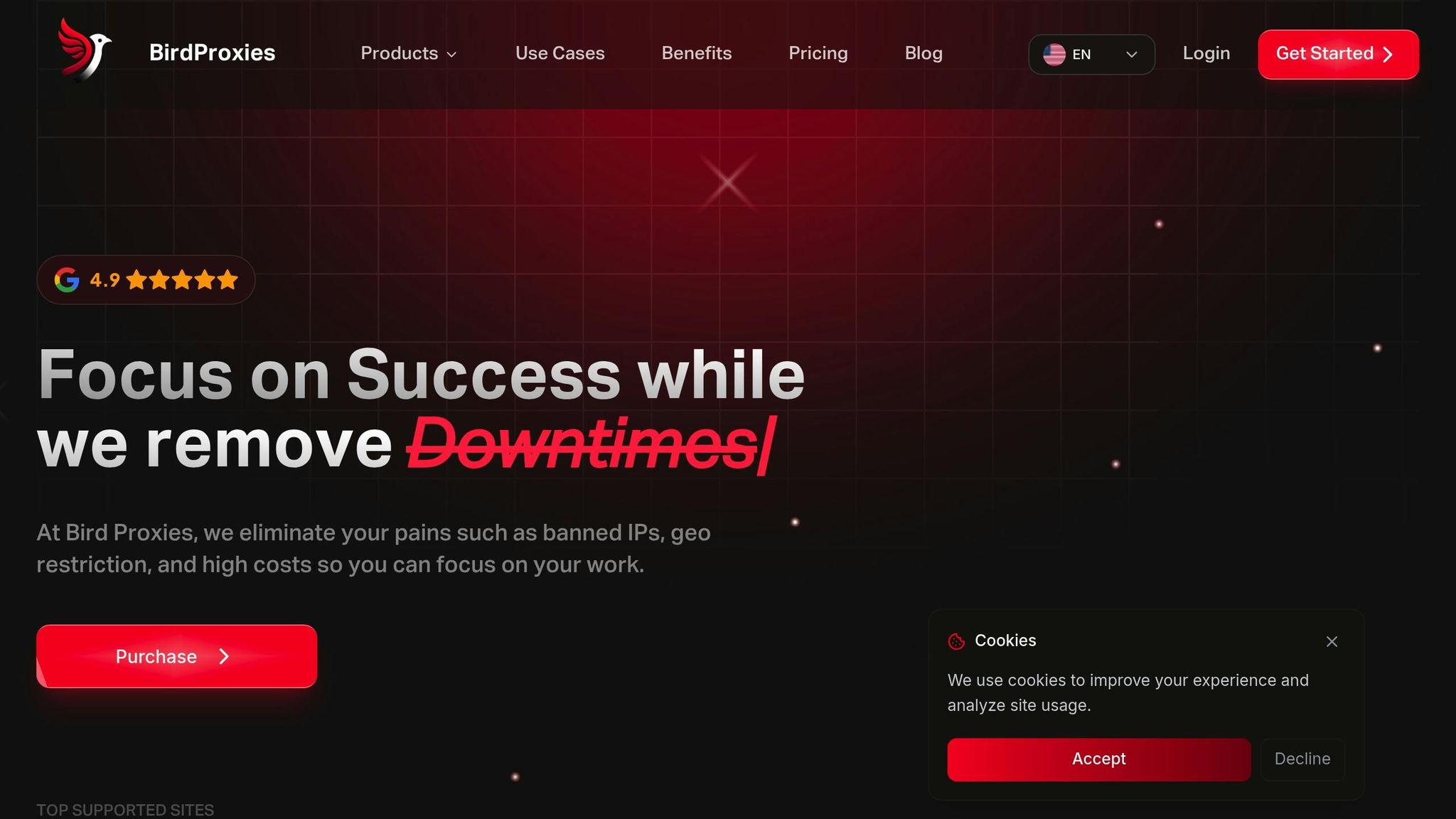
BirdProxies offers a range of residential, ISP, and datacenter proxy options, designed to avoid IP bans and bypass geo-restrictions while ensuring both security and speed. These features directly address the potential risks of downtime and flagged IPs.
Their residential proxies use genuine household IPs with high trust scores, making them ideal for managing multiple accounts on platforms like Instagram or Facebook. They support both rotating and sticky sessions, allowing you to switch between frequent IP changes for bulk actions and stable sessions for logins or multi-step tasks.
BirdProxies’ ISP proxies provide ultra-stable connections and fast response times. These proxies combine the trustworthiness of residential IPs with the performance benefits of datacenter solutions, making them perfect for long-term account management where consistent logins are critical.
For high-volume, lower-risk tasks, their datacenter proxies deliver fast, low-latency connections. These are great for handling bulk requests, large-scale API usage, or data monitoring. While they may not be ideal for direct logins on heavily regulated platforms, they excel at tasks like non-login checks and public data retrieval.
BirdProxies also offers rotating and dedicated proxy options, making it easy to assign one proxy per account - a best practice for social media automation. Their rotation logic mimics organic user behavior, reducing digital footprints, while sticky sessions provide stability when needed.
Other features include extensive geo-location coverage, with IPs available in multiple U.S. cities and international locations. An intuitive dashboard with real-time management tools, usage analytics, and API access streamlines integration with your existing automation setup.
Benefits of Using BirdProxies
BirdProxies ensures 99.99% uptime, so your scheduled posts, DM campaigns, and engagement activities run smoothly - even during peak U.S. hours. Their large IP pool and automatic failover system maintain seamless workflows, protecting your accounts and keeping operations efficient.
Their high-speed connections offer low latency, ranging from 23 to 55 milliseconds. This speed supports high-frequency tasks like liking, commenting, following, or retrieving real-time data, all while mimicking natural user behavior to avoid triggering platform rate limits.
With 24/7 customer support, BirdProxies is ready to resolve issues quickly, minimizing potential downtime. The platform has earned a 4.9 rating on Trustpilot from 436 reviews, highlighting consistent praise for both performance and support.
Another standout feature is their policy of offering free IP replacements for non-working proxies, which is especially valuable for managing large proxy pools. This ensures high-quality performance without extra costs.
BirdProxies also provides flexible payment options, including crypto, PayPal, and major U.S. credit cards. Their transparent pricing - starting at around $1.30 to $1.35 per IP per month for ISP proxies and $4.25 per GB for residential proxies - makes it easy to budget and scale your proxy usage.
With a combination of specialized features and a robust infrastructure designed for speed and reliability, BirdProxies is an excellent choice for U.S. marketers and agencies looking for dependable, round-the-clock social media automation.
Conclusion
Social media automation with proxies boils down to creating a secure and scalable system. At its core, success relies on three key principles: selecting the right proxy type for your tasks, sticking to a strict one-proxy-per-account rule, and ensuring your automation mimics natural user behavior. These steps, as outlined earlier, are the foundation of a strong and effective automation strategy.
The quality of your proxies plays a critical role in long-term success. Residential and ISP proxies are often the go-to options for social media tasks because they use real household or telecom IPs that platforms are more likely to trust. Matching the proxy location to the region where your accounts were created - like using U.S. IPs for accounts targeting U.S. audiences - helps avoid triggering login alerts or platform scrutiny.
Monitoring your setup is just as important. Keeping an eye on metrics like latency and error rates can help you catch and address problems before they escalate.
Choosing a reliable proxy provider makes all the difference. For example, BirdProxies offers a solid infrastructure tailored for automation needs. They provide residential, ISP, and datacenter proxies with broad geo-location coverage, 99.99% uptime, and speeds ranging from 23 to 55 milliseconds. Their 24/7 customer support, free IP replacement policy, and transparent pricing - starting at about $1.30 per IP per month - make it easier to manage costs while scaling effectively.
FAQs
How can proxies help safely manage multiple social media accounts?
Proxies are essential for handling multiple social media accounts effectively. They work by hiding your original IP address and assigning a unique one to each account. This helps keep platforms from recognizing and flagging multiple accounts as being managed from the same location.
With rotating proxies, you can automate actions like posting, liking, or following while minimizing the chances of IP bans or account suspensions. They also make it easier to bypass geo-restrictions, offering a safer and more seamless experience when automating social media tasks.
What should I consider when choosing between residential, ISP, and datacenter proxies for social media automation?
When choosing proxies for social media automation, it’s crucial to understand the distinctions between residential, ISP, and datacenter proxies. Each type serves different purposes, so picking the right one depends on your specific needs.
- Residential proxies are linked to actual devices and internet service providers, making them a solid choice for avoiding detection and IP bans. They work well for tasks like managing multiple accounts or bypassing geo-restrictions.
- ISP proxies offer a mix of speed and authenticity, combining the performance of datacenter proxies with the reliability of residential ones. They’re a strong option for activities that require both consistency and security.
- Datacenter proxies are fast and budget-friendly but easier to detect. They’re best suited for high-volume tasks where anonymity isn’t a priority.
Think about your automation goals, the platform’s security protocols, and your budget when selecting a proxy type. Partnering with a reliable proxy provider can significantly improve the efficiency and security of your social media management.
What are the best ways to make social media automation look natural and avoid detection?
To ensure your social media automation stays under the radar, using rotating proxies is key. These proxies assign a unique IP address to each account, helping to minimize the chances of detection or bans. It’s also important to keep your activity natural - excessive posting or interactions that stray from typical user behavior can easily trigger suspicion.
A dependable proxy service can provide secure, fast, and steady connections while helping you bypass geo-restrictions. This approach keeps your automation efforts both effective and discreet.